# Claude Code Teams Plugin Webhook 5 步設定教學(含踩坑排查)
TL;DR:Claude Code Teams 的 Plugin Webhook 設定路徑是 claude.ai/admin-settings/plugins,前置條件是 Claude GitHub App 必須安裝在你的 repo 上、沒有被 Suspend、且批准過 Webhooks 讀寫權限。三個條件缺一,webhook 就接不起來。
📌 目錄
---🧠 Plugin Webhook 是什麼、為什麼要設
Claude Code Teams 支援把 GitHub repo 當作 plugin marketplace 來源。你把 plugin 定義(plugin.json)推上去,Teams 後台就能讀取並讓 org 成員安裝。
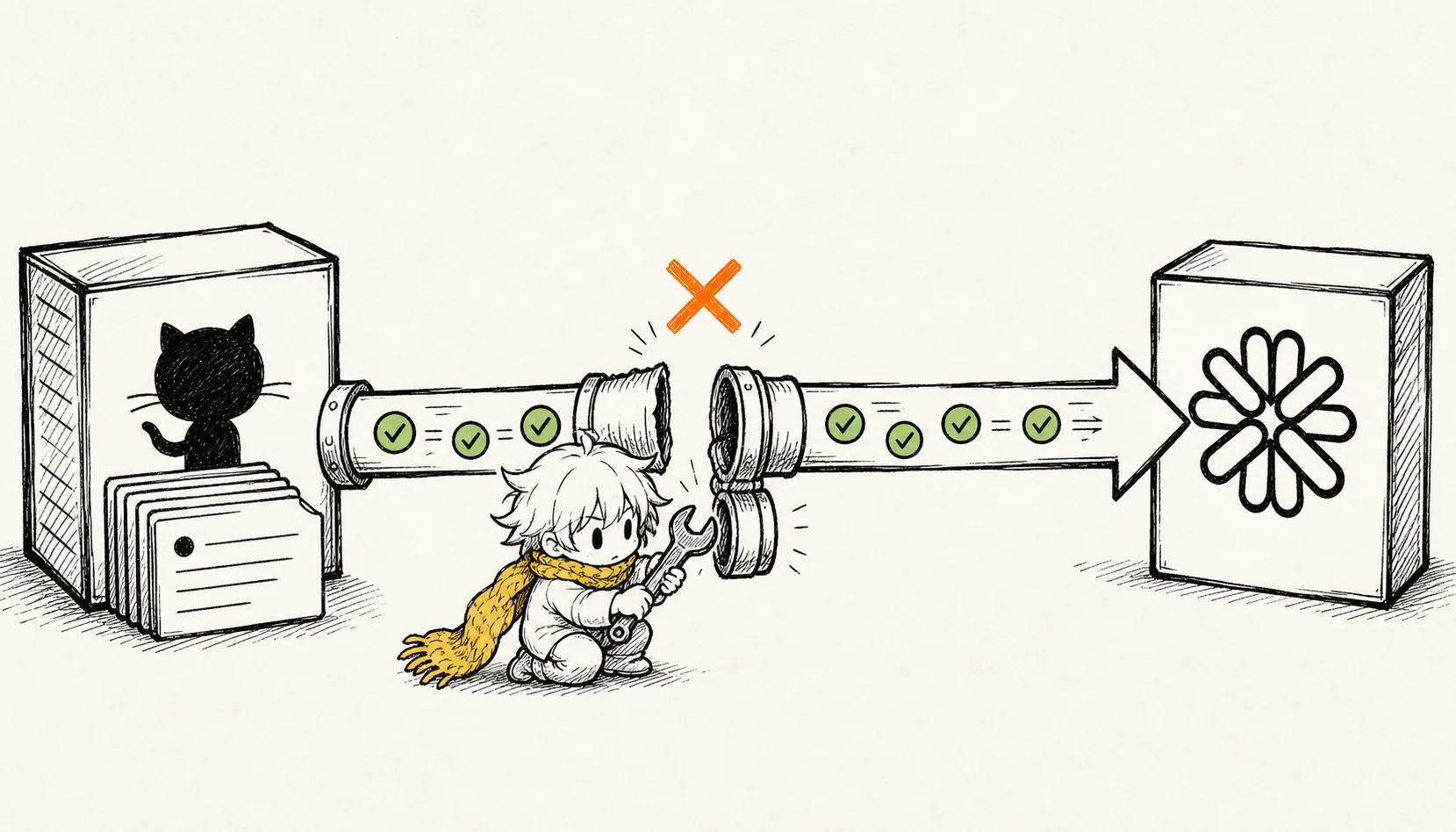
問題是:預設是手動同步。你推了新版,後台的 Last updated 不會自動更新,要進去手動按 Re-sync 才會拉最新的。
Webhook 解決這件事:push 到 default branch 就自動觸發同步,不需要每次手動操作。
---
✅ 前置條件
設定前確認這三件事都做好:
| 條件 | 確認方式 |
|---|---|
| Claude GitHub App 已安裝在你的 repo | github.com/settings/installations 找到 Claude App,確認 repo 在列 |
| Claude GitHub App 沒有被 Suspend | 同頁面,App 旁邊不應有 Suspended 標籤 |
| Webhooks 權限已批准 | 同頁面,Permissions 區塊不應有 Review request 待處理 |
| 你是 Teams org 的 Owner 或 Primary Owner | 只有這兩個角色能進 admin-settings 設定 |
---
🛠️ 完整設定步驟
Step 1:進 Organization settings > Plugins
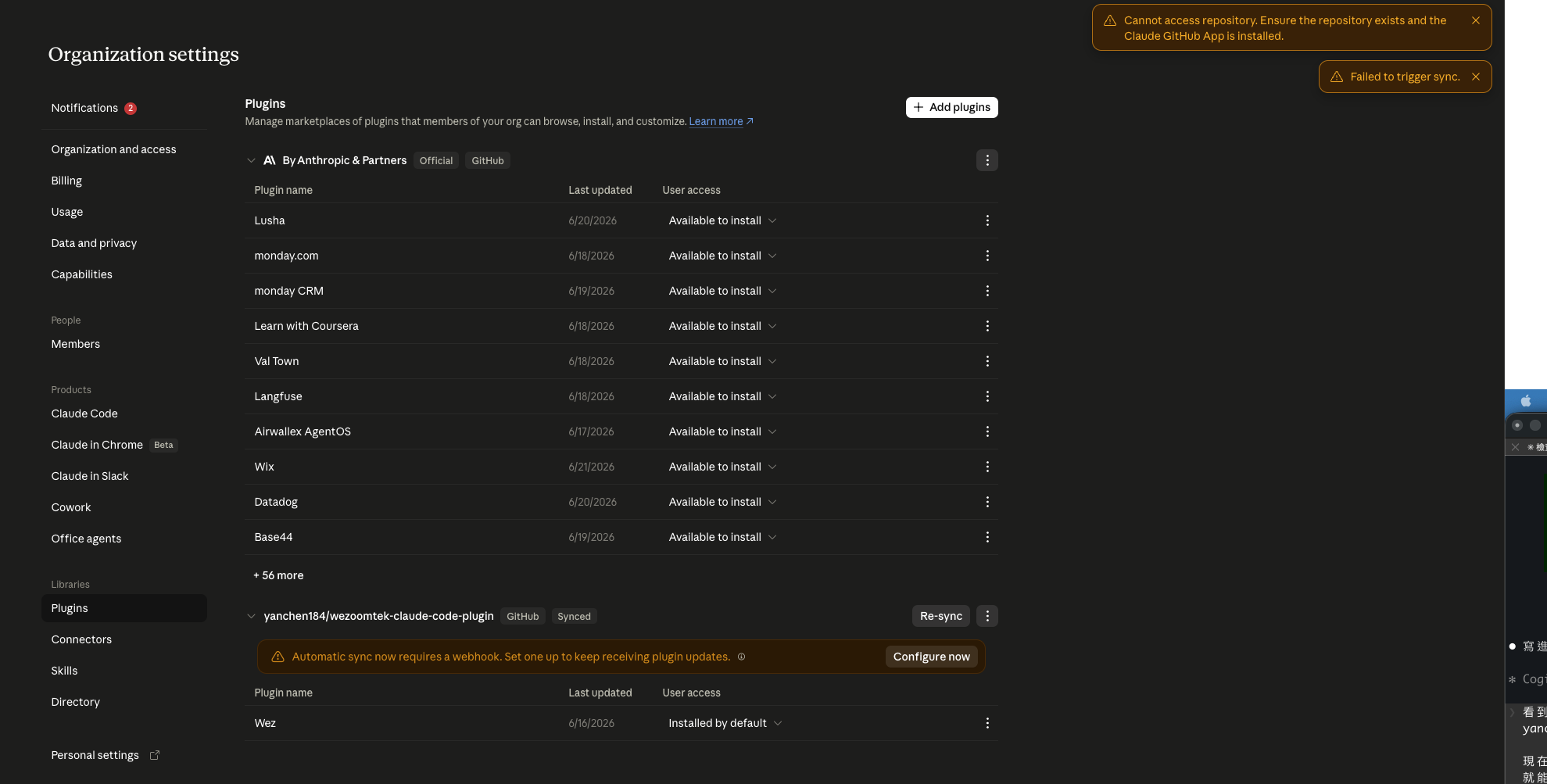
登入 claude.ai,左下角選你的 org(不是個人帳號),進 admin-settings/plugins。
你會看到已加入的 plugin marketplace 列表。如果你的 GitHub repo 還沒出現,先按 Add plugins 把它加進來。
Step 2:安裝 Claude GitHub App 到你的 repo
前往:
https://github.com/settings/installations找到 Claude App(由 anthropics 開發),點 Configure。
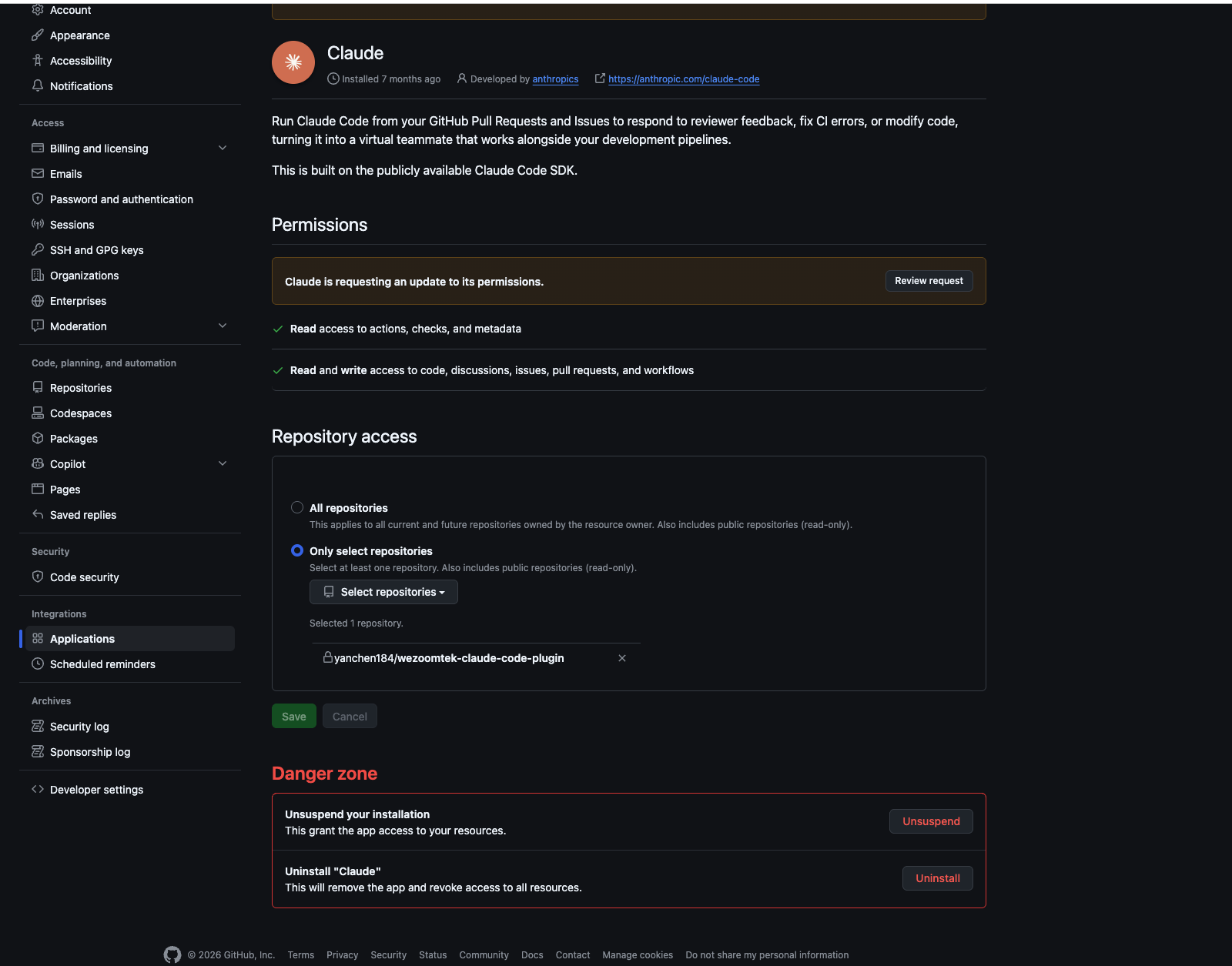
在 Repository access 區塊選 Only select repositories,從下拉選你的 plugin repo,按 Save。
如果 Claude App 不在列表,代表還沒裝過,去 https://github.com/apps/claude 按 Install。
Step 3:確認 App 沒有被 Suspend
同一個 Configure 頁面,頂部若出現:
Your installation was suspended by you on [日期].代表 App 被停用,webhook 和同步都不會動。拉到頁面最底部的 Danger zone,按 Unsuspend 恢復。
Step 4:批准 Webhooks 權限
Unsuspend 後,頁面頂部通常會有一條橙色提示:
Claude is requesting an update to its permissions. Review request.點 Review request,你會看到 Claude 要求的新權限清單,包含:
| 權限 | 類型 |
|---|---|
| Members | Read-only(新) |
| Webhooks | Read and write(新,webhook 功能必要) |
| Commit statuses | Read-only(新) |
| Actions / Checks | 升級為 read and write |
Enable webhook 按下去會直接失敗。
Step 5:回到 claude.ai 啟用 Webhook
回到 claude.ai/admin-settings/plugins,你的 repo 那一列下面會有黃色提示:
Automatic sync now requires a webhook. Set one up to keep receiving plugin updates.按旁邊的 Configure now → 彈窗說明 webhook 會透過 Claude GitHub App 建立 → 按 Enable webhook。
右上角出現 Webhook enabled. toast = 完成。
---
🚨 踩坑:Cannot access repository 怎麼解
設定過程最常卡的地方是這個錯誤:
Cannot access repository. Ensure the repository exists and the Claude GitHub App is installed.看起來是「App 沒裝」,實際上最常見的原因是 App 被 Suspend,或是 Webhooks 權限沒批准。
按照這個順序排查:
1. 去 github.com/settings/installations
2. 找到 Claude App
3. 確認沒有 "Suspended" 標籤 → 有的話 Unsuspend
4. 確認沒有 "Review request" 橙色提示 → 有的話批准新權限
5. 確認你的 repo 在 Repository access 列表裡 → 沒有就加進去
6. 回 claude.ai 重試
我自己踩的版本:App 在 6/16 不知道為什麼被 Suspend,Webhooks 新權限也從來沒批准過,所以一直卡在 Cannot access repository,按 Re-sync 也沒用。Unsuspend + 批准權限之後,Configure now 才能正常彈出來。
---
⚙️ Webhook 接好後的行為
Webhook 啟用後:
- 每次 push 到 repo 的 default branch,claude.ai 的 plugin 後台會自動觸發同步
- 同步完成後,org 成員下次啟動 Claude Code 就能拿到最新版
Last updated時間戳會更新成最新 push 的時間- 你不需要再手動按 Re-sync

---
❓ 常見問題 FAQ
Q:我不是 Owner,能設 Webhook 嗎?
不行。只有 Primary Owner 和 Owner 角色能進 admin-settings,其他角色連頁面都看不到。需要請 org owner 操作。
Q:Webhook 是設在 GitHub 還是 claude.ai?
兩邊都有。按下 Enable webhook 後,Claude GitHub App 會自動在你的 GitHub repo 建立 webhook(去 repo 的 Settings > Webhooks 可以看到),claude.ai 這邊也會記錄同步狀態。你不需要自己手動去 GitHub 設 webhook。
Q:我推了版但 Last updated 沒更新,怎麼確認 webhook 有沒有觸發?
去 GitHub repo 的 Settings > Webhooks,點進 Claude 建的那筆,可以看到每次觸發的 delivery 記錄和 response code。200 = 成功接收;如果是 4xx/5xx,通常是 App 權限問題,重新走一遍 Step 3-4。
Q:Team plan 和 Enterprise plan 的 plugin 管理有差嗎?
有。Enterprise 多了 strictPluginOnlyCustomization(鎖死只能用 org 指定的 plugin)、allowedMcpServers(管控 MCP server 白名單)等進階控管。Team plan 的後台主要是讓 owner 管理 marketplace 來源和 plugin 安裝預設值,不支援這些進階限制。
Q:Plugin 設成「Installed by default」,新 seat 加入後會自動裝嗎?
是。User access 欄位設成 Installed by default 的 plugin,新成員加入 org 並安裝 Claude Code 後,登入時會自動套用。不需要每個人手動裝。
---
🔗 延伸資源
- Claude Code Admin Setup 官方文件 — 完整的 org 管理員設定參考,包含 plugin marketplace 控管選項
- Server-managed settings — Owner 透過 claude.ai 後台集中設定、自動推送給所有成員
- Plugin marketplace 官方文件 — 建立自己的 plugin marketplace 完整說明
- wezoomtek-claude-code-plugin — 本文操作的 plugin repo